

Best AR/VR Cables for Stable Low-Latency Headset Performance
2026-11-26
Ask anyone who has lost a ranked match to a black screen, and they will tell you: the cable is never just a cable. In AR and VR, where a single dropped frame can shatter presence, stable low-latency data transfer becomes the real performance spec. That is exactly where EBCYX earns its place—building connections that keep your headset responsive instead of leaving you troubleshooting mid-session. Below, we break down the cables worth trusting for smooth, uninterrupted play.
The Frame-Time Hit Hiding in Your Headset Tether
VR stutter is usually blamed on the GPU or a messy driver stack, but the headset tether can quietly introduce its own uneven frame delivery. A long cable isn't a passive extension; it carries display, power, and tracking traffic, so marginal signal quality or a flaky USB controller forces retransmissions that arrive as micro-hithes. Those delays often don't show up in standard frame-time logs because the compositor can still report a timely present while the actual image reaches the headset late.
What makes this easy to misdiagnose is the inconsistency. The same five-meter cable may run cleanly on one port and drop packets on another, especially as the connector wears or nearby interference eats into the signal margin. The result looks like random frame-time spikes that get assigned to the game, the drivers, or thermal throttling. Swapping in a shorter, well-shielded cable or inserting a powered repeater is often enough to reveal the tether as the hidden source of the problem.
Why a Cable Upgrade Fixes Motion Sickness Faster Than a GPU Swap
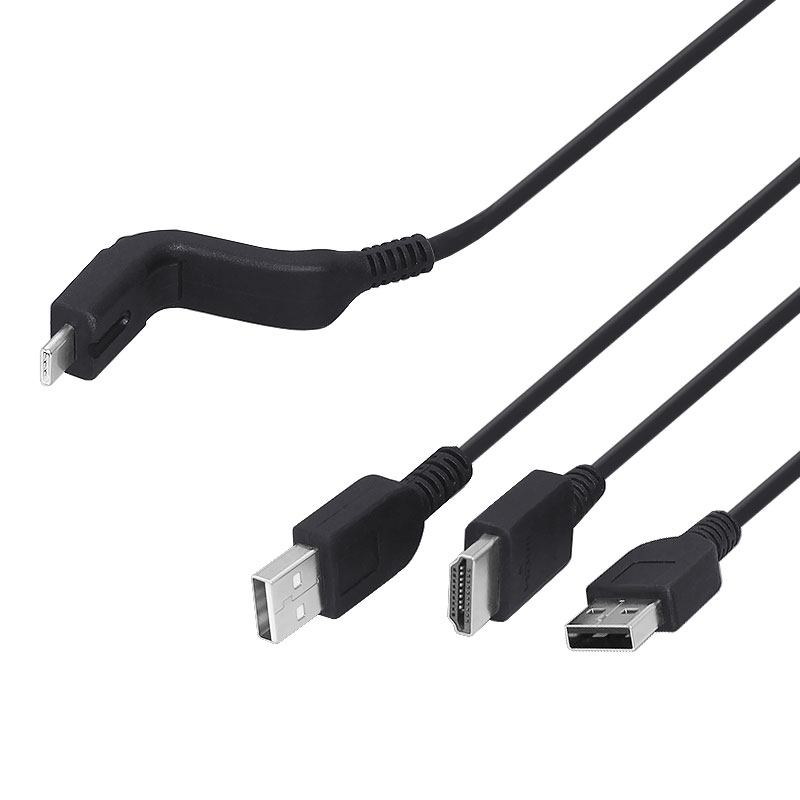
Most people assume stuttering in VR comes from an underpowered graphics card, so they chase frame rates by swapping in a faster GPU. But the queasiness often has a much simpler source: the cable. A worn or poorly shielded USB or HDMI link will introduce tiny timing errors and signal dropouts that the headset compensates for by delaying frames or reprojecting them unevenly. That added latency and inconsistency is exactly what your inner ear hates. Replacing that questionable cable with a properly rated, well-shielded one removes those micro-stutters at the transport layer, long before the GPU ever gets involved.
A GPU swap changes how quickly frames can be rendered, but it does nothing for a link that intermittently loses packets or negotiates down to a lower bandwidth. The result is that you still get periodic hitches, even when your frame counter says 90 fps or higher. Cables are also more likely to degrade from bending, twisting, or being stepped on, so a cable that worked fine six months ago may now be introducing errors that only show up as a vague sense of dizziness. Swapping it is cheap, takes two minutes, and often resolves the discomfort that a much more expensive hardware upgrade fails to touch.
There is also a less obvious factor: power delivery. Many headsets rely on the cable to carry both data and power, and a cable with higher resistance can cause voltage drops under load. Those drops force the headset's internal components to run slightly out of spec, which can produce subtle tracking jitter or display flicker. A short, thick, well-constructed cable keeps voltage steady and data clean, giving your brain one less reason to feel sick. Before you spend hundreds on a new card, try a five-dollar cable swap first.
The Copper and Fiber Split That Isn’t Only About Weight
The first thing people notice when they lift a spool of copper next to a spool of fiber is the weight, but that difference hides more consequential gaps. Copper carries electrical signals, so distance and frequency work against it quickly. At longer runs, the signal softens, crosstalk creeps in, and you start adding shielding, repeaters, or thicker gauge just to hold the line together. Fiber ignores most of that. A thin glass core can push light for kilometers without the same kind of loss, and it doesn't radiate or pick up electromagnetic noise in a dense cable tray.
There is also a split in what each medium actually does inside a building. Copper still owns the edge because it can deliver power alongside data, and it survives tight bends and rough handling that would crack glass. Fiber, by contrast, asks for cleaner terminations and more careful routing, but returns that effort with headroom. It doesn't care about ground loops, it doesn't create a fire path the way energized copper can, and its bandwidth ceiling is far enough away that the cable itself rarely becomes the bottleneck.
Bend Radius and Connector Strain You Feel Before You See
A tight bend rarely announces itself with a crack or a kink. It starts as extra resistance in the cable jacket, a subtle stiffness near the boot, or a connector that no longer seats with the same easy click. That feeling is the first warning sign that the minimum bend radius has been ignored, and the load is already traveling into the termination instead of staying in the cable.
What makes this strain easy to miss is that the damage accumulates in places you cannot inspect without cutting things open. The bend may look acceptable from the outside while the internal conductor, buffer, or ferrule is being pulled slightly off-axis. Over time, that constant pull turns into signal loss or intermittent faults that seem unrelated to the original installation.
The useful habit is to treat your hands as an early test instrument. If a cable fights you when you dress it into a panel, or if the connector body feels warm from tension rather than ambient temperature, something is already too tight. Releasing that tension before the visual inspection stage saves more than just the connector; it saves the troubleshooting hours that come later.
Shielding That Keeps Tracking Steady in a Busy USB Environment
Crowded USB hubs are noisy places. A single port can radiate broadband energy from high-speed data transitions, and when several devices share a board, that noise finds its way into analog tracking lines with surprising ease. The shielding here works less like a simple metal fence and more like a tuned barrier: it blocks the frequencies most likely to corrupt the tracking signal instead of trying to suppress everything at once.
What makes the design hold up under real-world use is the separation between chassis ground and signal return. Low-frequency offsets that normally cause drift are routed away from the sensing front end, while high-frequency hash from adjacent USB packets is shunted around the sensitive stage. Keeping those two paths from overlapping is the main reason the tracking stays clean even when a hub is fully loaded.
There is also a practical benefit during repeated plug and unplug cycles. The shield absorbs contact discharge and nearby transient spikes before they reach the tracking electronics, so the signal does not jump or lose lock when a drive is inserted next to it. That kind of stability is easy to miss on a datasheet but immediately noticeable on a desk full of adapters.
Long Runs Without Added Latency and the Compromises to Avoid
Keeping latency flat over a long-running process is less about the first request and more about what accumulates after thousands of them. Minor allocations that look harmless in isolation gradually fragment the heap, background timers start to overlap, and connection reuse patterns shift under sustained load. The safest way to catch this is to track tail latency and memory growth over realistic uptime rather than relying on short benchmarks that hide the slow creep.
Several tempting compromises make the problem worse. Disabling instrumentation to claw back a few microseconds removes the very signal needed when performance starts drifting. Coarsening locks or enlarging batch sizes can lower average overhead but makes p99 latency uneven and harder to diagnose. Letting a cache grow without a strict limit may feel faster in the first hour, yet it eventually forces eviction storms and unpredictable pauses. Preloading everything at startup hides lazy initialization costs but slows recovery and masks which paths actually need to stay warm.
A steadier approach is to make background costs explicit and bounded. Cap queues by memory rather than item count, reuse pooled objects without letting them accumulate forever, and schedule maintenance work in small non-overlapping increments. Long soak tests under production-like load should treat any upward drift in tail latency or resident memory as a defect, not as an acceptable side effect. The goal is a system where staying up for a day, a week, or a month costs the same predictable amount of overhead.
FAQ
Look for an active optical cable with a USB-C connector that supports at least 10 Gbps data transfer and stable power delivery. Optical fiber cores carry the signal with less interference over longer distances, which helps maintain consistent tracking and display data without the spikes that cheap passive copper cables often introduce.
Yes, length plays a big role. Passive copper cables usually start to degrade signal quality after about 3 meters, while active optical cables can reliably run 5 to 10 meters without noticeable loss. If you need more reach, stick to fiber optic options rather than extending a shorter cable with adapters.
Cables with a braided nylon sheath and a reinforced neck near the connector tend to survive repeated twisting much better. Some premium options also use a fiber core that is naturally thinner and more flexible, so it does not kink as easily as thick copper shielding.
It matters more than most people expect. A cable that cannot sustain stable power delivery will let the headset battery drain during use or cause disconnects under heavy load. Look for cables rated for at least 3A at 5V, and if your headset supports fast charging, choose one that explicitly lists that support.
A standard copper USB-C cable sends electrical signals through metal wires, which is fine for short runs but picks up interference and loses signal over distance. An active optical cable converts the signal to light inside the cable, so it stays cleaner over longer distances while keeping the cable thinner and more flexible.
Yes, and in some cases third-party options are better because they use more durable materials or offer longer lengths. The key is to check the data rate, power rating, and connector quality rather than relying only on brand names. Actual user testing and reliable return policies are more useful than specs alone.
Common signs include occasional black screens, audio stutter, controller tracking hitching, or the headset dropping connection when you move quickly. If problems disappear when you use a shorter or officially recommended cable, the cable is likely the bottleneck.
A right-angle connector can reduce strain where the cable plugs into the headset, especially if the cable runs over your shoulder or along a head strap. It is not required for latency, but it helps prevent port damage and keeps the cable profile lower during active movement.
Conclusion
If you've ever blamed a dropped frame on your GPU while the real hiccup was hiding in the six-foot tether hanging off your headset, you're not alone. A USB cable that looks fine on the outside can introduce intermittent frame-time spikes, because link retries and power dips along a marginal conductor show up as tracking stutter or a brief black frame. That's why swapping the cable often settles motion sickness faster than chasing a new graphics card; the headset's motion-to-photon budget is small enough that a flaky connection matters more than raw render speed. Copper for power and fiber for data offer a practical split, keeping voltage steady for the headset's sensors while removing electrical noise from the video path. That's not really about shedding grams; it's about giving each signal a cleaner route.
Bend radius and connector strain usually warn you through occasional disconnects before the jacket shows any damage, so a cable with reinforced stress relief near angled USB-C ends can prevent the dropouts you feel mid-session. In a busy USB environment, shielding does the quiet work: it keeps the headset's tracking cameras from competing with external drives, chargers, and RGB controllers for a clean data lane. For long runs, optical links can stretch signal without adding measurable latency, but avoid pairing them with weak repeaters or thin passive extensions; the compromises usually come from underbuilt power delivery and loose tolerances at the connector, not from the fiber itself. A stable low-latency headset is rarely about one big upgrade. It's the cable doing several invisible jobs correctly.
Contact Us
Contact Person: David Yang
Email: [email protected]
Tel/WhatsApp: 8615814734054
Website: https://www.ebcyx.com/